
Quick Answer
You can create a business website in India without coding experience. Start by defining your business goal, choosing a domain name, and identifying the pages your customers need. Then choose a website builder or custom development approach based on your budget and requirements. Next, add your business information, contact options, and basic SEO settings. Make the website mobile-friendly and test every important function before publishing.
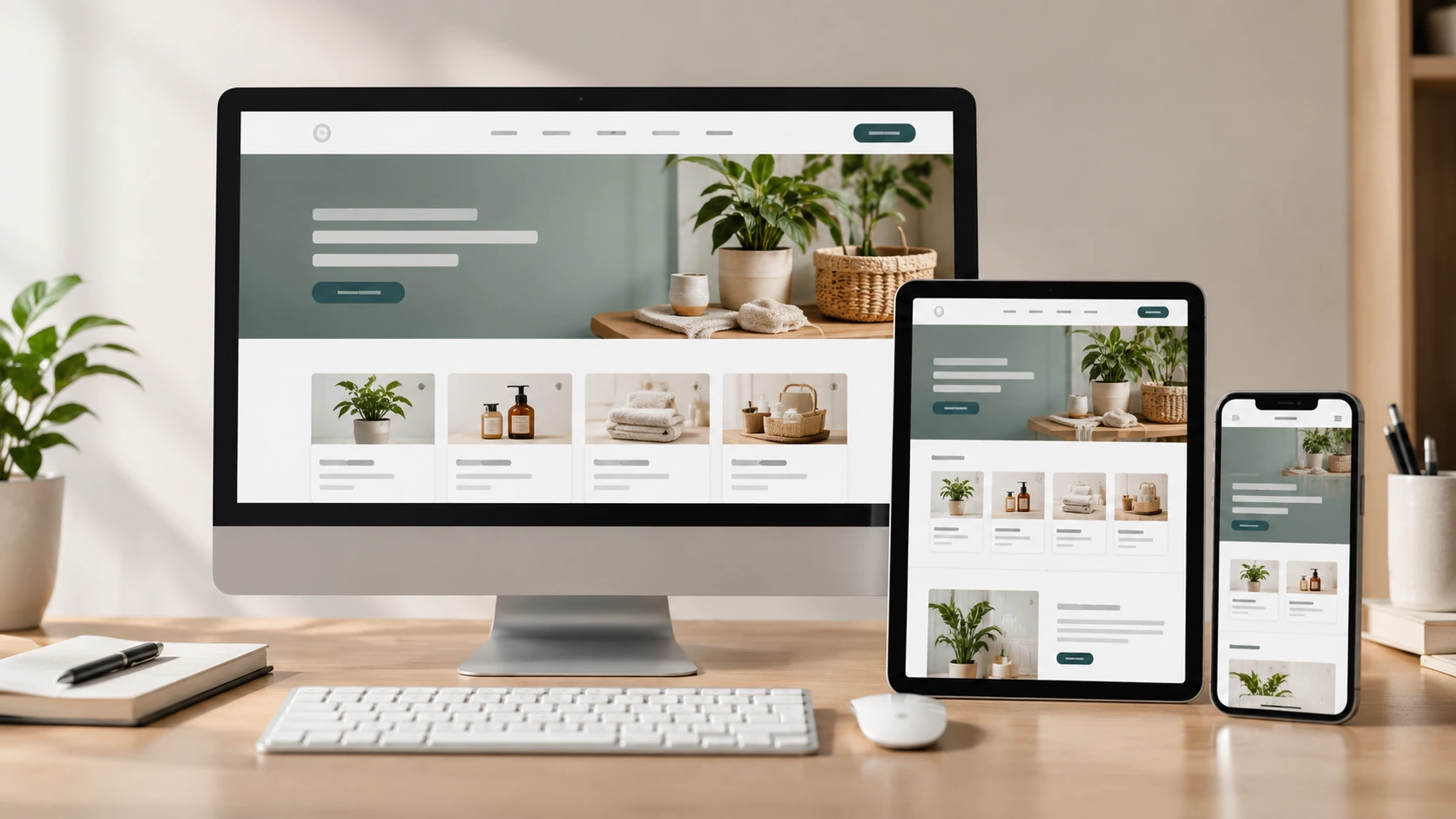
A business website should help customers understand your business and take action. Therefore, start with the business goal instead of choosing a template. For example, a local service business may need calls and enquiries. An online business may need product browsing and payments.
Before creating a website, it is important to understand how it can support your business. Read our guide on why small businesses need a website in 2026 to explore the benefits of having an online presence.
Follow these steps to create a business website in India.

First, decide what you want the website to help your business achieve.
Common goals include:
Choose one primary goal for the website. You can still support secondary actions where necessary. This keeps the website focused and easier to navigate.
Choose a domain name that closely represents your business or brand. Keep it short, memorable, and easy to spell.
Avoid unnecessary numbers, unusual spellings, and long domain names. For an Indian business, a .in domain can be a good choice if you primarily serve customers in India. A .com domain may suit businesses that plan to reach a broader audience.
If you plan to expand internationally, consider choosing a domain that works well for your long-term brand. You can also explore industry-specific extensions, such as .tech for technology businesses.
However, the most important factors are brand fit, availability, and how easy the domain is for customers to remember. Check domain availability before finalizing your business name.
You can build a business website using a website builder or custom development. The right choice depends on your budget, technical requirements, and growth plans.
If you are new to website creation, see our guide on how to make a website for a broader step-by-step overview.
Website builder: A website builder is a practical starting point for businesses that need a professional website without managing complex technical requirements. It provides templates, visual editing tools, and built-in website features. A website builder may be suitable for a small business that needs essential pages, contact forms, and simple website updates.
Custom development: Custom development provides greater control over design and functionality. It may be suitable for businesses that need complex integrations, custom workflows, or features that existing website builders cannot provide.
For many small businesses, a website builder offers a simpler way to get started. However, your choice should depend on your business needs, budget, technical requirements, and future growth plans.
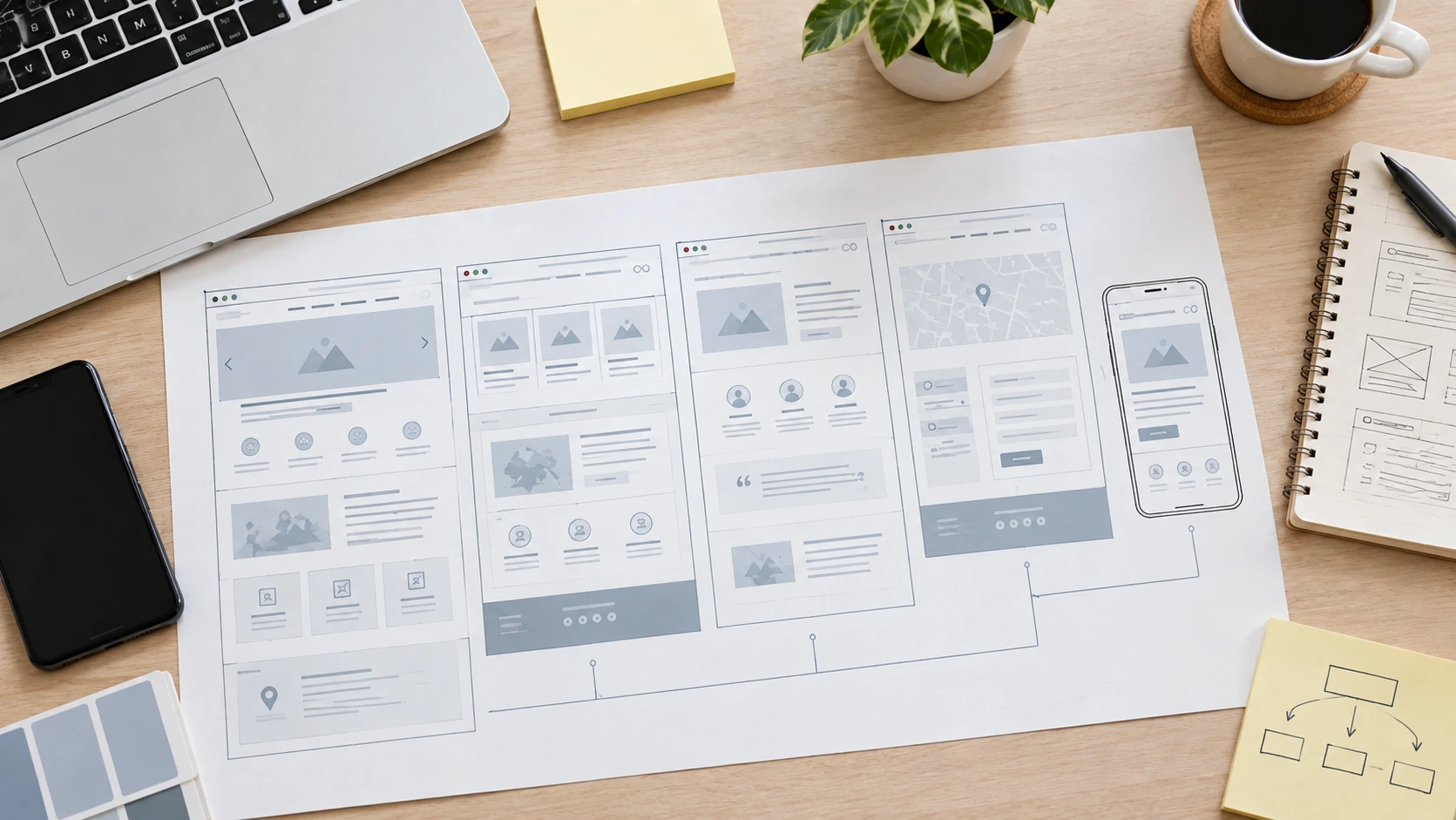
A business website does not need dozens of pages. Start with the pages customers actually need to understand your business and take action.
Home Page: Explain what your business offers and who you serve. Add your main call to action near the top.
About Page: Explain who you are and what your business does. Include relevant experience, location, or business background.
Products or Services: Clearly describe what customers can buy or enquire about. Include important details such as features, pricing, or service areas where appropriate.
Contact Page: Provide the information customers need to reach you. Include your phone number, email address, location, and enquiry option.
Other Pages: Add other pages only when they serve a clear customer or business need. These may include:
The exact page structure should match your business model.
Your website should answer basic customer questions quickly. Include:
For local businesses, make sure your business name, address, phone number, and opening hours are accurate and consistent across your website and other business profiles.
If your business serves customers through WhatsApp, include a clear way for visitors to start a conversation. Accurate and consistent business information helps customers find the correct details about your business.
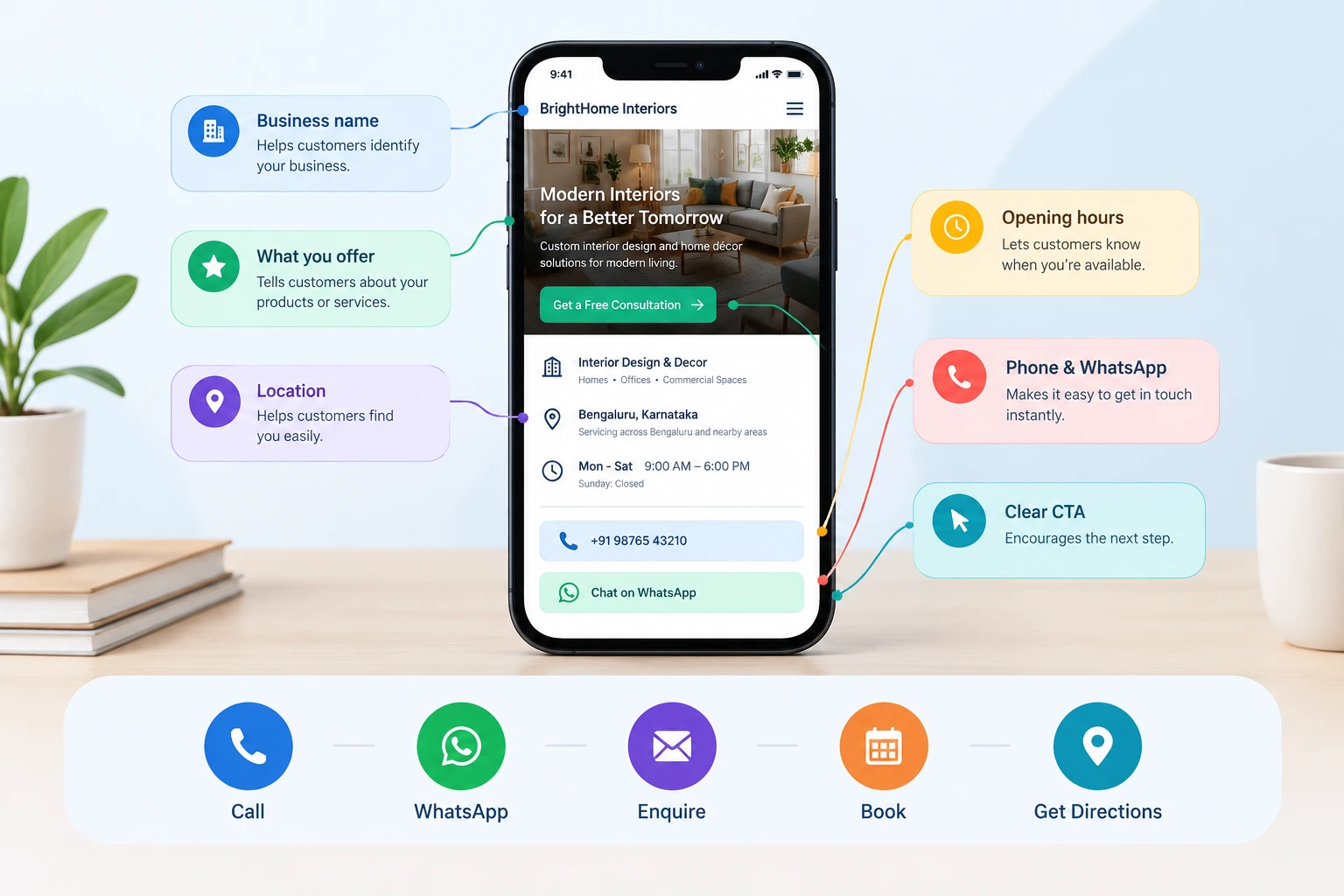
A business website should not make customers search for contact information. Add clear calls to action where customers are likely to need them.
Depending on your business, these can include:
Place the most important action where customers can easily find it. For example, a local service business may prioritize phone calls or WhatsApp enquiries, while a consultancy may focus on booking appointments.
However, avoid adding too many competing calls to action. Give visitors a clear next step.
Many customers may visit your website from a smartphone. Therefore, check every important page on a mobile device.
Pay attention to:
Customers should not need to zoom or scroll sideways. Make sure buttons and forms are easy to use on smaller screens. A mobile-friendly website also provides a better overall user experience.
You do not need advanced SEO to launch a new business website. Start with the basics.
Create a unique title and meta description for important pages. Use clear headings and descriptive page URLs. Include relevant business and service terms naturally.
Add descriptive image alt text where appropriate. Also, make sure search engines can crawl your important pages and that you are not accidentally blocking them.
If you serve a local market, keep your business name, address, phone number, and service area accurate.
After launch, connect the website with Google Search Console to monitor search performance and identify potential indexing issues.
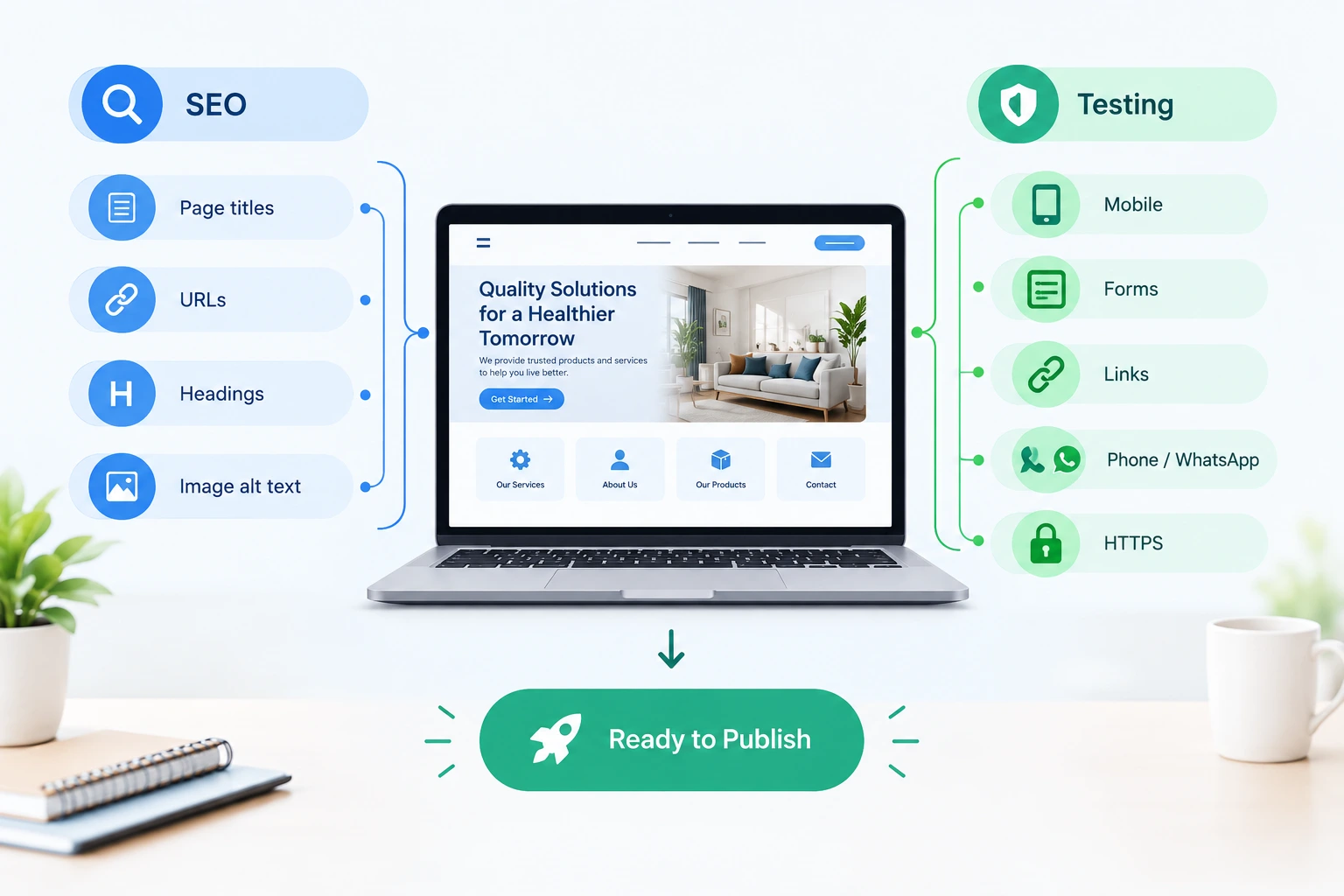
Do not publish immediately after finishing the website. First, test the complete website.
Check:
Also, check the website on different screen sizes. Submit a test enquiry yourself and confirm that it reaches the correct email address or business account. This helps you catch problems before customers do.
Once testing is complete, publish your website. However, launching the website is not the final step.
Review your website regularly and update outdated:
Also, review search performance and visitor behaviour. Use those insights to improve important pages over time. A website that stays accurate and useful can continue supporting your business as it grows.
The exact requirements depend on the business. However, most small-business websites should provide the following:
| Website Element | Purpose |
|---|---|
| Home page | Explain the business quickly |
| Services or products | Show what you offer |
| About page | Explain the business |
| Contact page | Help customers reach you |
| Clear CTA | Encourage the next action |
| Mobile-friendly design | Support smartphone visitors |
| Basic SEO | Help search engines understand the website |
| Legal pages | Provide relevant policies and terms |
Key Note
Do not add an element simply because another website has it. Every page should support a customer need or business goal.
Business website costs vary by platform, design, features, and development approach. Common expenses can include:
A basic business website usually costs less than a website with e-commerce features. Your total cost will depend on the tools you choose and the level of customization your business requires.
For a detailed breakdown, see our guide on Website Cost in India.
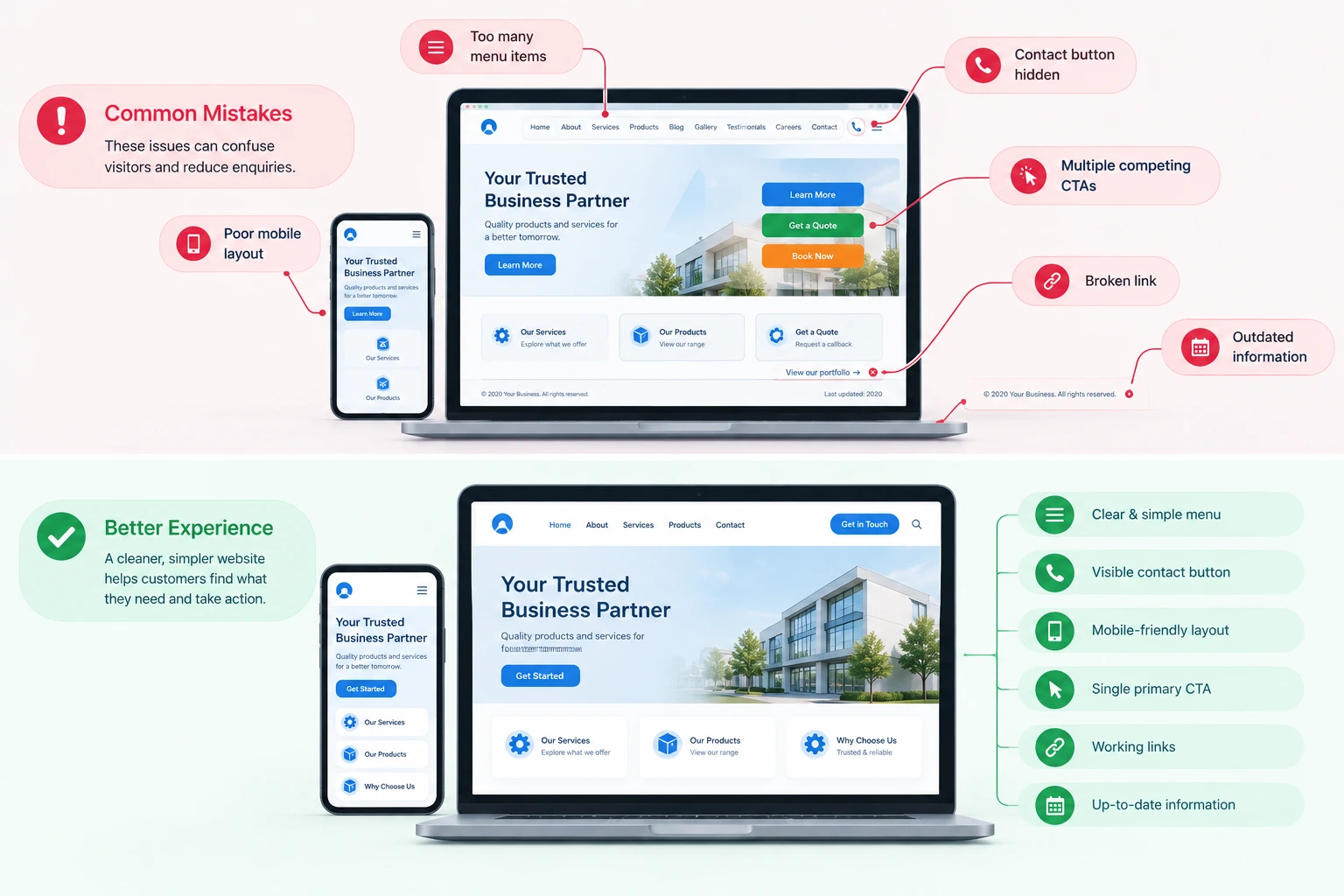
Avoid these common problems when creating a business website:
Start with essential pages. Add more when customers need them.
Make your primary contact method easy to find.
Test the website on smartphones before launch.
Give visitors a clear next step instead of overwhelming them with multiple competing actions.
Broken forms and links can cost you enquiries.
A website needs regular updates and improvements.
Yes. Many website builders let you create a website without writing code. You can use templates and visual editing tools to create a professional website.
A basic business website can start with four core pages: Home, About, Services or Products, and Contact. Add other pages when they support customer needs or business goals.
Not necessarily. You can use a website builder or choose custom development. Your requirements, budget, and technical needs should guide the decision.
A .in domain can suit businesses targeting customers in India. However, .com can also work well, especially for businesses planning to reach a broader audience.
Yes. Basic SEO helps search engines understand your pages. It can also improve your website's search visibility and help potential customers find your business.
Yes. You can expand a website as your business requirements change. Plan your initial structure with future growth in mind.
Most business websites should have Home, About, Services or Products, and Contact pages. Add other pages when they support customer needs or business goals.
Choose a website-building solution that fits your business goals, budget, and growth plans. Explore My Digital India to get started.
Get Started Free →